Brand & commerce platform · frontend & backend
SIN NOMBRE
A voice outside. Clarity inside.
Storefront / Original design · local sample
The store has a voice.
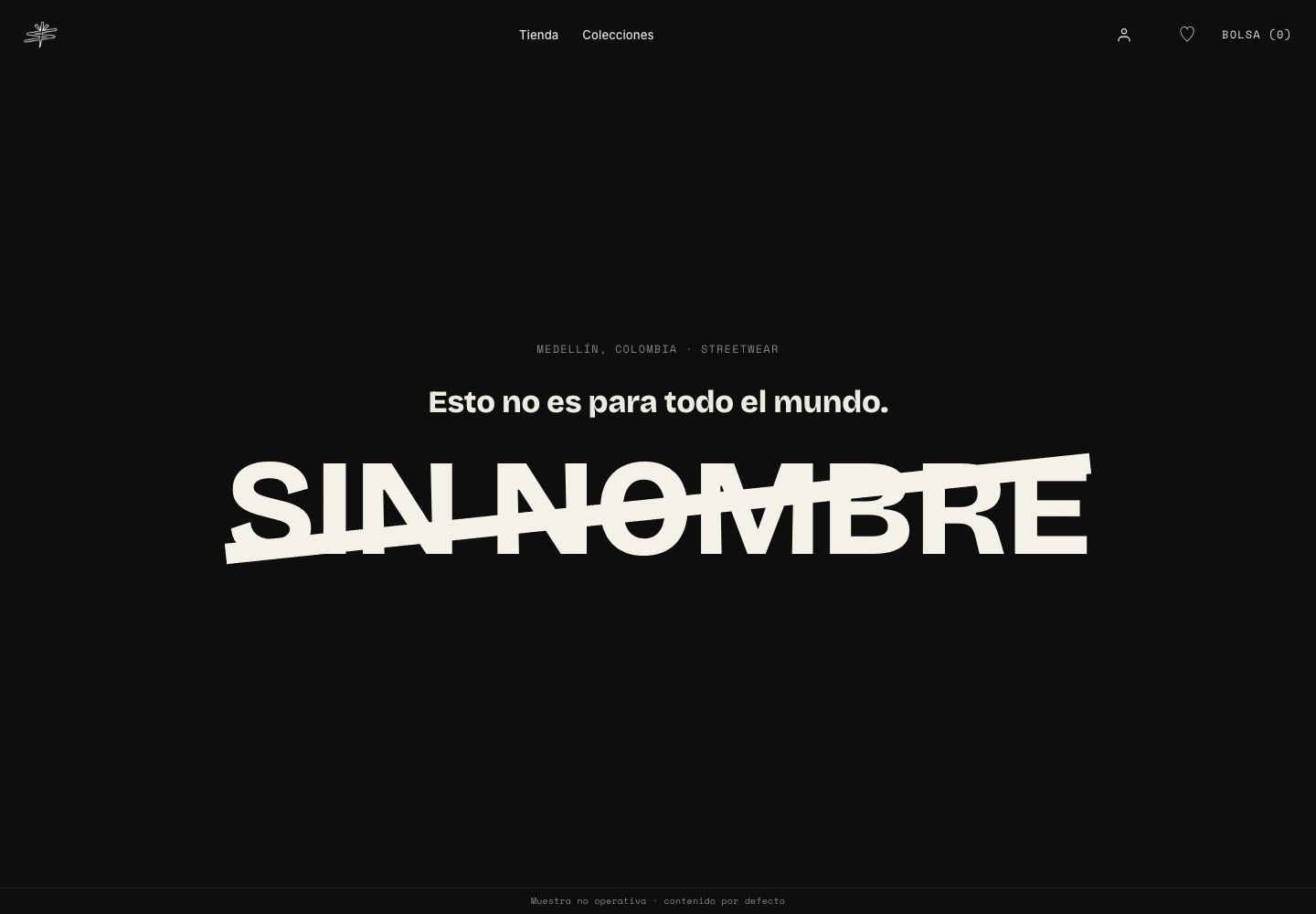
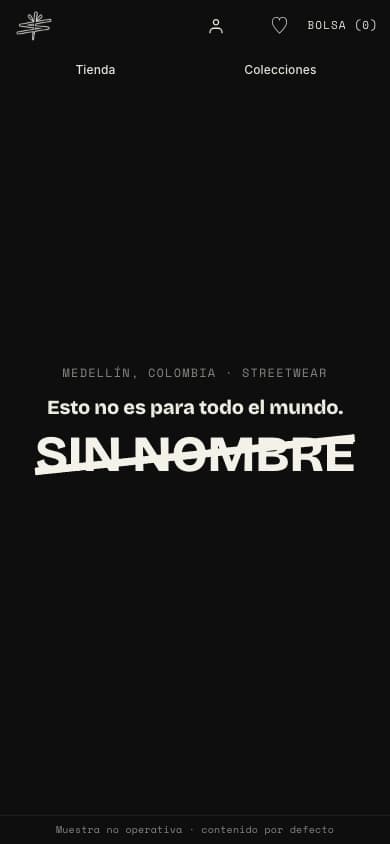

Frontend / Identity & interaction
More than a catalogue.
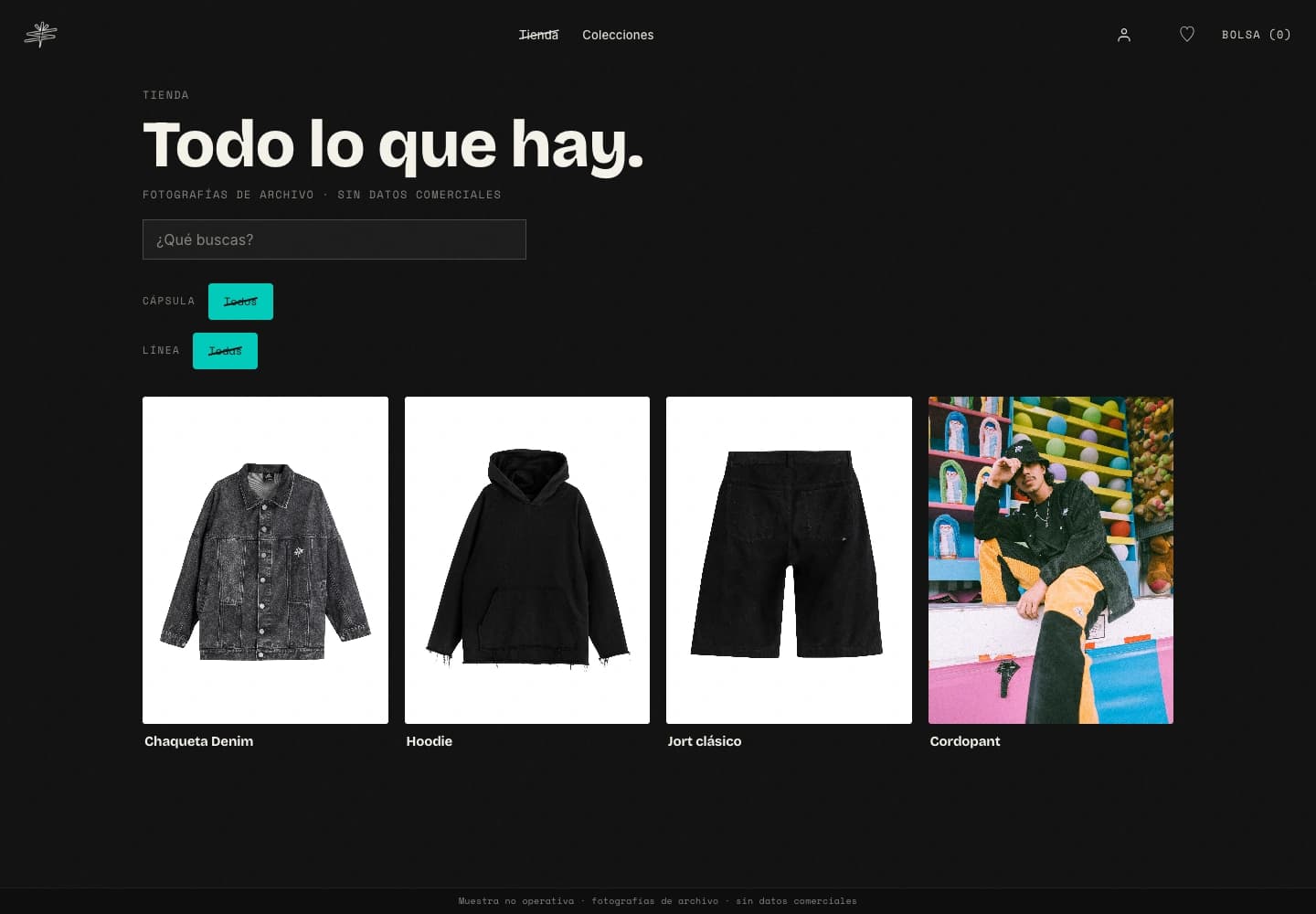
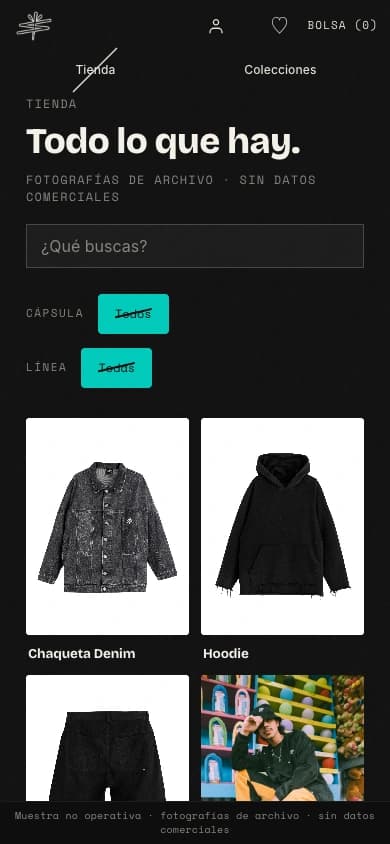
The piece comes first.
The original catalogue layout, shown with SIN NOMBRE’s archived product photography. Prices, availability and buying controls are excluded from this non-operational design sample.
A closer look, without the noise.
A separate product page gives the gallery room and keeps the information together. This local render preserves the project’s layout with archived denim photography; commercial details and purchase actions are not connected.
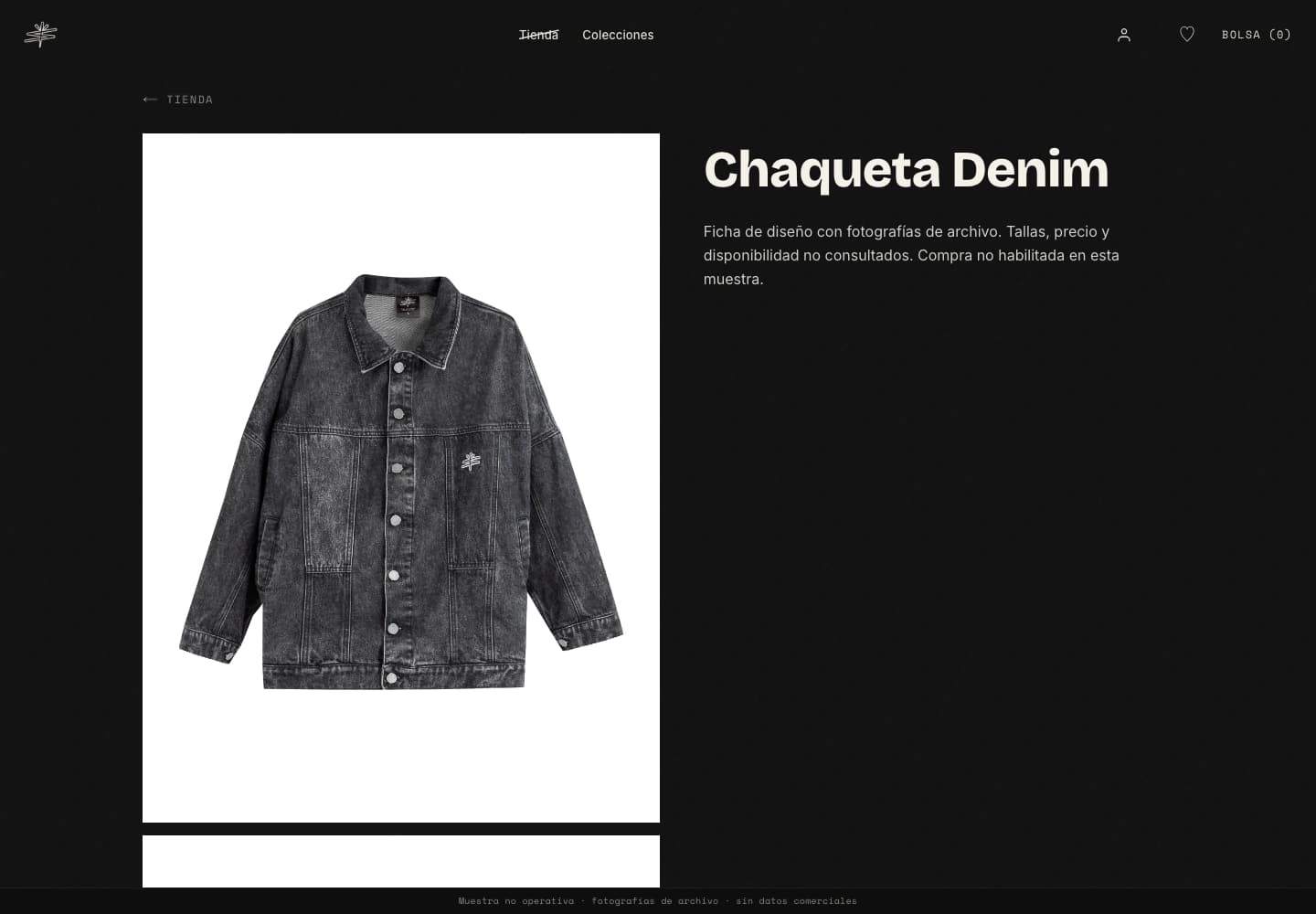
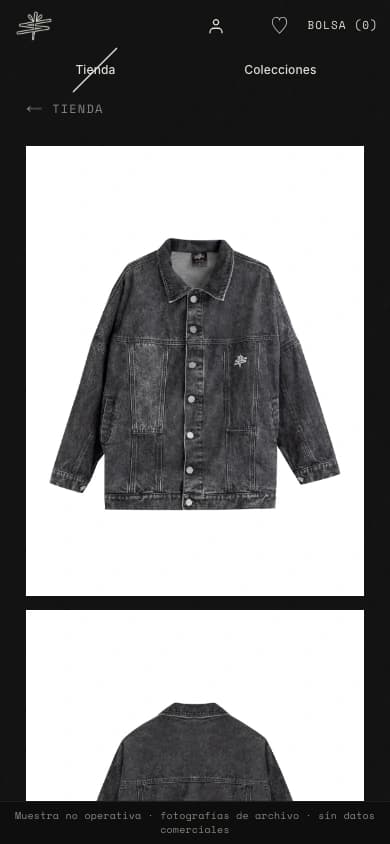
- 01
A manifesto, not a banner.
The opening moves from a phrase to the struck wordmark, then through the brand’s manifesto. The scroll gives the story a sequence before introducing a collection or capsule.
- 02
Room for the product.
The storefront separates the catalogue from the product page: clear cards first, then photography, sizes, colours, details and a size guide. Collections and capsules are independent ways to organize the work.
- 03
A system for discovery.
Gestures, visual reveals and hidden content connect the personality to a discovery system, with rewards governed by server rules. Selected discovery interfaces and core server workflows are implemented; further interactions remain in development. Live campaigns and delivery require separate validation.
An identity with a gesture.

The diagonal becomes a visual transition, not just a line on a logo.
An isolated portfolio interpretation of the visual language. No store access, reward, purchase or account action.
01 / The idea
What this needed to solve.
Keep the fashion brand distinctive in public while connecting the storefront to a clear operational system: what is available, what was ordered and what the team needs to do next.
The storefront, management panel and WhatsApp channels need a consistent commercial model, but different permissions and interfaces. The work connects their workflows without making administration cryptic.
02 / The process
How it took shape.
- 01
Define the personality
Worked on the brand’s character, tone and visual direction so the digital experience could speak with a consistent voice.
- 02
Give the storefront its own rhythm
Shaped an editorial opening, a quiet catalogue and detailed product pages. Expressive typography and diagonal transitions belong to the brand; navigation and buying controls need clarity.
- 03
Connect the rules behind the screen
Connected the interfaces to server actions and a commercial data model, and separated WhatsApp customer support from team queries, alerts and confirmed sales actions.
- 04
Separate discovery from operation
Developed the visual discovery layer separately from the rules that govern access and rewards. Documented the storefront and the management interface as different experiences, without exposing business records.
Existing team interface / fictitious data
A different rhythm behind the store.
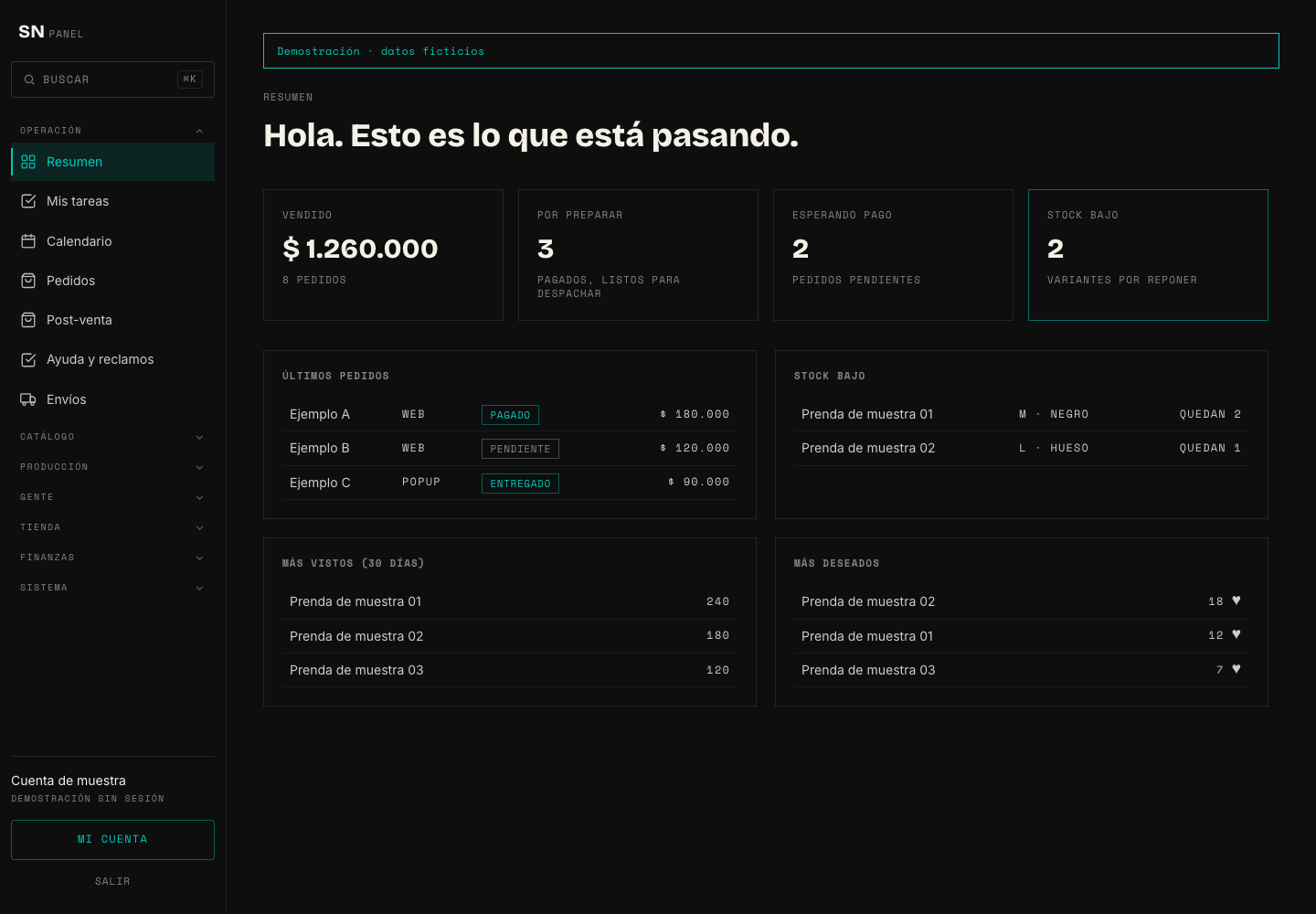
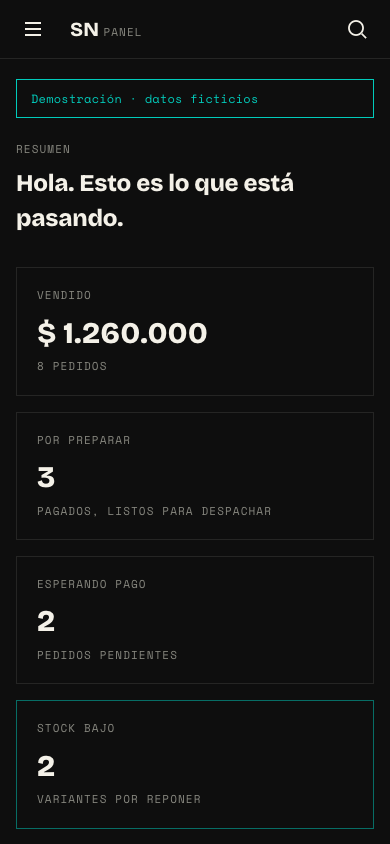
The existing management interface belongs to a separate chapter: catalogue, stock, orders and the team’s next actions. These captures use demonstration data.
Architecture / Behind the interface
One commercial model. Different ways to use it.
The storefront, panel and WhatsApp workflows connect to server logic rather than keeping separate versions of stock and orders. The backend checks the actor, request and permitted action before working with the commercial records.
- Frontend
Storefront & management
The public brand experience and the team’s summary, catalogue, inventory and order screens serve different users.
- Backend
A shared set of rules
Server actions and APIs validate permissions and coordinate product, stock and order changes.
- Data
A connected operation
Products, variants, inventory and order records support the panel and its connected workflows.
The panel and server workflows are implemented in the project. WhatsApp delivery and commerce activation require their own configuration and validation. This portfolio does not connect to customers, stock or payments.
Modules and responsibilities
Open a module to follow its flow.
01 / Catalogue, stock & ordersFrom a product to the next action.Implemented in project
The management summary turns commercial records into a view of sales, pending orders and low-stock items.
- Management interface
The team reviews the summary, edits catalogue information and manages stock or order states.
- Server actions
The backend checks permissions and validates the requested adjustment or order transition.
- Commercial records
Product variants, inventory, orders and movement records give the interface its source of information.
02 / WhatsApp for customersHelp first. Hand off when needed.Integration in review
The customer path is designed for catalogue questions, order orientation and support, with a route to the team. Automated responses are configurable, not assumed to be active.
- Customer message
When configured, customer messages enter through the project’s YCloud webhook.
- Server routing
The webhook distinguishes the customer path, filters repeated events and applies the configured support or escalation flow.
- Response or hand-off
The transport sends the permitted response or passes the conversation to the team; delivery must be validated separately.
03 / WhatsApp for the teamAn operational channel, not a second store.Integration in review
The team path supports stock and order queries, operational alerts and preparation of sales actions. It is separate from customer automation.
- Team request
An identified team member requests information or starts a supported operational action.
- Permission & confirmation
The backend checks the team role and required confirmation before a sensitive action.
- Shared operation
Sales workflows use the same commercial logic as the point-of-sale tools, rather than a separate WhatsApp inventory.
Integrations
Supabase
Implemented in projectAuthentication and the commercial database behind the panel’s server workflows.
WhatsApp / YCloud
Integration in reviewWebhook and message-transport code with separate customer and team paths; activation and delivery are reviewed independently.
Wompi
Integration in reviewCheckout and payment-event integration code; the portfolio neither enables commerce nor demonstrates a live charge.
Scope / Craft
My contribution.
What I worked on
- Brand & interface direction
- Frontend design & implementation
- Backend workflows & service integration
- Next.js
- React
- TypeScript
- Supabase / PostgreSQL
Built & designed
- Brand direction and personality translated into a digital visual language.
- Frontend and backend workflows for catalogue, inventory and orders within the project team.
- An existing management panel and separate customer/team WhatsApp integration paths; shown with fictitious data.
The platform remains in development. This case includes local renders of the original home, catalogue and product layout with archive photography, an isolated visual interaction study and the existing panel with fictitious data. The commerce launch and external delivery checks are separate; this is not an open store.
Brand direction, interface design and frontend/backend production within the project team. Brand assets and photography supplied from the SIN NOMBRE archive. Storefront samples preserve the project’s layout without commercial data; the visual interaction study is isolated from the shop. The management interface uses fictitious data; no live customer or order records are shared.